

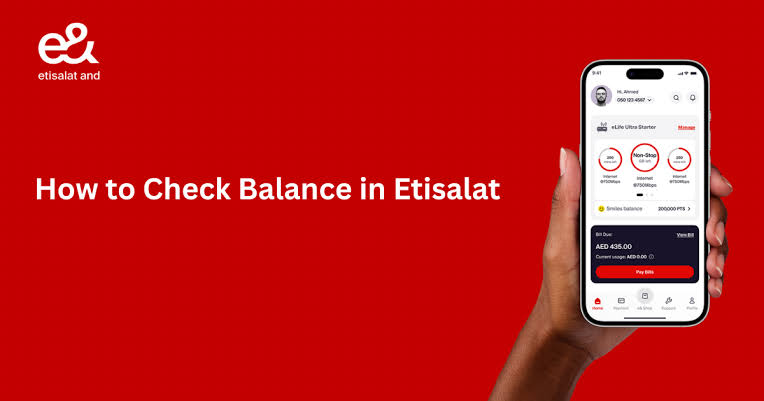
Keeping track of your Etisalat balance is essential for uninterrupted calls, data access, and avoiding unexpected service interruptions. For prepaid users, dialing *121# instantly displays available credit, while postpaid customers can review bills and usage through *140# or the rebranded e& UAE application. Dubai residents and expats rely on Etisalat (now rebranded as e&) for mobile connectivity, yet many struggle to quickly find the right balance check method for their specific account type.
This guide consolidates every working USSD code, SMS command, app feature, and online portal step for 2026. You will find verified instructions for prepaid (Wasel) and postpaid plans, data balance checks, voice and SMS allowance inquiries, roaming balance verification, and solutions for common issues. Whether you are a long-term resident or a recent arrival, this journalistic resource provides the authoritative information you need to manage your Etisalat account efficiently without guesswork.
Table of Contents
Etisalat Prepaid Balance Check: USSD Codes And SMS Commands
The following sections detail every official method for prepaid customers to verify remaining credit, data, and voice allowances.
Alternative SMS Balance Inquiry: Send BAL To 121 Or 1010
If USSD codes are unavailable due to network issues or handset compatibility, Etisalat prepaid customers can check their balance by SMS. Type the word BAL and send it to 121. Within seconds, you will receive a text message showing your current main account balance. An alternative shortcode is 1010, where sending BAL to this number also returns your remaining credit. This method is particularly useful in low-signal areas where USSD may fail, as SMS often succeeds where interactive sessions cannot. Standard SMS rates apply, but receiving the balance message is free. Keep this as a backup option whenever *121# does not respond properly.
View Prepaid Add-Ons And Promotions: Dial *101#
For prepaid customers wanting more than just a balance figure, dialing *101# opens an interactive menu showing all active bundles, available data add-ons, promotional offers, and account management options. After dialing, follow the on-screen prompts to select categories such as “My Account,” “Data Packs,” “International Minutes,” or “Daily Deals.” This USSD portal displays your remaining data in megabytes or gigabytes, voice minutes left on active packs, SMS allowances, and the expiry dates of each benefit. You can also purchase new add-ons directly from this menu without needing the app. Dial *101# at least once weekly to stay aware of expiring promotions and unused allowances that could otherwise be lost.
Check Wasel International Roaming Balance: Call +9714004121
When traveling abroad with an Etisalat Wasel prepaid line, you cannot use standard USSD codes *121# or *101# while roaming due to network restrictions. Instead, Etisalat provides an Interactive Voice Response (IVR) system accessible from any landline or mobile phone worldwide. Dial +9714004121 from any telephone, listen to the Arabic or English voice prompts, and follow the instructions to hear your remaining credit balance in dirhams. This service works without requiring an active data connection and is the only reliable balance check method for Wasel customers outside the UAE. The IVR system also allows you to recharge your account while roaming using a credit card. Save this number in your contacts before any international trip.
Etisalat Postpaid Balance And Bill Check Methods
Postpaid customers manage their accounts differently than prepaid users, focusing on billing cycles, usage summaries, and remaining monthly allowances.
Postpaid Balance And Usage Summary: Dial *140#
For Etisalat postpaid customers, dial *140# from your registered mobile number to receive a summary of your current bill status and remaining allowances. After pressing call, the system displays a screen showing your outstanding due amount, payment deadline, remaining data in MB or GB, unused voice minutes, and available SMS counts for the current billing cycle. This USSD command does not require internet access and works on any mobile phone. Unlike prepaid codes that show credit, *140# focuses on usage-based allowances because postpaid lines have no credit balance to deplete. The information appears on your screen instantly, and you can also receive an SMS copy by following the on-screen options. Dial *140# around the middle of each billing month to ensure you are not exceeding your plan limits and incurring out‑of‑bundle charges.
Detailed Postpaid Bill View Via E& UAE App And Online Portal
For a complete breakdown of your monthly charges, the e& UAE mobile app (formerly My Etisalat UAE) provides the most detailed information. After logging in with your mobile number and password, navigate to the “Billing” or “Account” section. Here you will see your current bill amount, due date, itemized call logs, data usage graphs, SMS history, and any international roaming charges. The app also allows you to download PDF versions of past bills for up to 12 months. Alternatively, visit etisalat.ae, click “My Account,” log in with your Etisalat number, and access the same billing details from any computer browser. The online portal sends an email bill to your registered address each month, but the app provides real‑time updates before the bill is generated.
Schedule Auto-Bill Delivery And Email Billing Statements
Every postpaid customer receives a detailed bill via email at the end of each billing cycle, typically between the 1st and 5th of the following month. To ensure delivery, log into the e& UAE app, go to “Profile Settings,” and confirm that your email address is correct and marked for billing correspondence. You can also enable SMS alerts for bill generation, which notify you when the email has been sent. If you do not receive your bill by the 7th of the month, check your spam folder before calling customer service. The email bill includes every call, SMS, and data session with timestamps, plus any applicable taxes (5% VAT) and regulatory fees. Use this document to track unusual usage and dispute incorrect charges within the 30‑day window permitted by TDRA regulations.
Etisalat Data Balance Check: Mobile Internet Usage Tracking
Data balance management is critical for avoiding overage fees, and Etisalat provides multiple real‑time tracking tools for both prepaid and postpaid customers.
Quick Data Balance USSD Codes: *170# And *121*1#
To check your remaining mobile data without opening any app, dial *170# from your Etisalat SIM and press call. This USSD command works for both prepaid and postpaid lines and instantly displays your remaining data in megabytes or gigabytes, along with the validity period of your current data pack. For a more prepaid‑specific data check, dial *121*1# as an alternative shortcut. Both methods require no internet connection and work on any mobile phone. The *170# command is particularly useful when you receive an SMS alert that you have consumed 80%, 90%, or 100% of your data, allowing you to verify the exact remaining amount before purchasing an add‑on. These codes remain active and unchanged in 2026.
SMS Data Balance Commands: Send DATA To 1010
For customers who prefer text messages over USSD interfaces, send the word DATA or DATA BAL to the shortcode 1010. Within seconds, you will receive an SMS containing your current data balance in MB or GB, the expiry date of your data pack, and, for postpaid customers, the number of days remaining in your billing cycle. This method is ideal when USSD codes return errors or when you want a written record of your balance for later reference. Standard SMS rates apply when sending the command, but the reply message is free. Save “DATA to 1010” as a contact for quick access. This SMS service is available 24/7 and works even while roaming, though international SMS rates may apply outside the UAE.
Real-Time Data Usage Alerts And Auto-Notifications
Etisalat automatically sends free SMS alerts to all customers when data consumption reaches critical thresholds. You will receive a message at 80%, 90%, and 100% of your data allowance, preventing unexpected overage charges. For postpaid customers, these alerts also apply to shared family data plans. To enable or disable these notifications, open the e& UAE app, navigate to “Settings” or “Notifications,” and toggle data usage alerts on or off. It is strongly recommended to keep alerts enabled, especially for prepaid customers whose data stops working entirely once the allowance is exhausted. If you are not receiving alerts despite consuming data, check that your phone number is correctly registered in the app and that you have not blocked Etisalat’s SMS sender ID. These alerts are free and do not consume your SMS allowance.
Etisalat Voice Minutes And SMS Balance Check
For customers on postpaid or prepaid plans that include fixed monthly allowances, tracking voice minutes and SMS counts prevents unexpected per‑unit charges.
Check Remaining Voice Minutes: Dial *140# Or Send VOICE To 1012
Postpaid customers can dial *140# to see a summary that includes remaining local and international minutes. For a more detailed breakdown specifically for international minutes, send the word VOICE via SMS to 1012. You will receive an SMS listing your remaining international talk time in minutes, along with the expiry date of your international calling pack. Prepaid customers on voice add‑on plans can also use the VOICE command to 1012. Alternatively, open the e& UAE app, tap “Usage,” and view graphs showing minutes consumed versus remaining. The app updates in near real‑time, while USSD and SMS methods update within minutes of completing a call. Check your minutes weekly if you travel frequently or make many international calls, as excess usage outside your bundle incurs high per‑minute rates.
Remaining SMS Allowance: Dial *101# Or Check In App
For postpaid plans that include a set number of monthly SMS messages, dial *101# and follow the menu to “Account Management” and then “Remaining Allowances.” The system will display your available SMS count along with data and voice balances. After each sent SMS, Etisalat may send a free notification SMS showing your remaining allowance, depending on your plan settings. To view SMS usage in detail, log into the e& UAE app, select “Usage History,” and filter by SMS. Prepaid customers rarely receive fixed SMS allowances unless they have purchased an SMS add‑on pack; for standard pay‑as‑you‑go SMS, the *121# balance check shows your credit balance, which covers per‑message charges. If you send more than 50 SMS monthly, consider adding an SMS bundle through the app or dialing *101# to reduce per‑message costs.
E& UAE Mobile App: Complete Account Management Tool
The official e& UAE application (formerly named My Etisalat UAE) is the most comprehensive tool for balance checks, recharges, and service management across all account types.
Download, Login And Dashboard Features For Real-Time Balances
The e& UAE app is available for free on the Apple App Store for iOS devices and the Google Play Store for Android phones. After downloading, open the app and log in using your Etisalat mobile number. First‑time users must register by entering the one‑time password sent via SMS to verify ownership. Once logged in, the dashboard displays your main balance (for prepaid) or current bill amount (for postpaid) prominently at the top. Below that, you will see remaining data in MB or GB, remaining voice minutes, SMS allowance, and validity dates for each active pack. Tap the refresh icon (circular arrow) to pull the latest balances after any usage. The app also shows your mobile number, plan name, and next recharge or bill due date. All information updates in real time, making the app more accurate than USSD codes for recent usage.
Usage History, Data Top-Ups And International Roaming Balance
Beyond basic balance checks, the e& UAE app allows you to view detailed usage history for calls, SMS, and data sessions spanning the last 90 days. Navigate to “Usage” or “Account Details,” select a date range, and see every chargeable event with timestamps and costs. For data top‑ups, tap “Buy Data” or “Add‑ons,” choose a daily, weekly, or monthly pack, and complete payment using a saved credit card or Etisalat account credit. The app also provides a dedicated section for international roaming, showing remaining roaming data, voice minutes, and SMS allowances if you have purchased a roaming pack. When traveling, enable roaming alerts in the app to receive notifications about usage thresholds. The app supports multiple accounts under one login, allowing you to manage a family’s lines from a single dashboard. This feature is particularly useful for Dubai residents sponsoring dependent family members.
E& UAE App Vs Third-Party Balance Check Apps: Security Comparison
Third‑party applications such as “Etisalat Balance Check (UAE)” on the Google Play Store offer quick access to USSD codes and shortcuts without requiring login credentials. These apps are convenient for one‑tap balance inquiries but do not provide detailed usage history or allow recharges. The official e& UAE app requires login authentication but offers full account management, bill payments, and real‑time updates. For security reasons, always use the official e& UAE app when performing any transaction or entering personal information. Third‑party apps only replicate USSD commands and do not access your account directly, but they also cannot be held responsible for any service disruptions. Download only from official app stores and check developer details; e& UAE (formerly Etisalat) is published by “e& UAE” or “Emirates Telecommunications Corporation.” Avoid apps requesting SMS permissions or contact access unnecessarily.
Etisalat Balance Check Troubleshooting And Common Issues
When balance check commands fail, several systematic solutions resolve most problems without requiring customer service calls.
USSD Code Not Responding: Airplane Mode And Restart Solutions
If you dial *121#, *170#, *101#, or *140# and nothing happens, first check that your phone has a cellular signal and is not in airplane mode. USSD commands require an active network connection to Etisalat’s home location register. Move to an area with stronger signal strength if you are in a basement or remote location. Turn airplane mode on for ten seconds, then turn it off to force the phone to reconnect to the nearest cell tower. If the code still fails, restart your phone completely. For Android devices, also clear the phone app’s cache by going to Settings → Apps → Phone → Storage → Clear Cache. If problems persist for more than two hours, there may be a network issue in your area; contact Etisalat customer care on 101 for updates on local outages.
Incorrect Or Delayed Balance Display: App Refresh And Sync Tips
After recharging your prepaid account or purchasing a data add‑on, your balance may not update immediately on USSD or the app due to network latency. First, wait five minutes for the transaction to process in Etisalat’s billing system. Then dial *121# again or refresh the e& UAE app by pulling down on the dashboard screen. If the app still shows an old balance, log out completely and log back in. For SMS balance checks, send BAL to 121 twice, five minutes apart. If your balance remains incorrect after 30 minutes, check your bank or recharge card provider to confirm that the payment was completed successfully. Keep the transaction receipt or reference number. If the issue extends beyond two hours, call 101 and provide the transaction details to have an agent manually credit your account. Delays are rare but can occur during peak hours such as Eid holidays or New Year‘s Eve.
Contact Etisalat Customer Care: 101, WhatsApp And Physical Stores
If no balance check method works after troubleshooting, Etisalat provides multiple support channels. From any Etisalat line within the UAE, dial 101 for free customer service available 24 hours daily in Arabic and English. For customers calling from overseas or non‑Etisalat lines, dial +971 800 101. Etisalat also operates an official WhatsApp business line: add +971 54 999 9101 to your contacts, send a message with “Hi,” and follow the menu prompts to speak with an agent or use automated balance check options. For in‑person assistance, visit any e& branded retail store or authorized dealer. Major locations include Etisalat Business Centre in Al Karama, Dubai, and the e& store in The Dubai Mall near the Fountain Views area. Bring your Emirates ID and registered mobile number for verification. Store hours typically run Saturday to Thursday from 9:00 am to 9:00 pm, with reduced hours on Friday from 2:00 pm to 9:00 pm. Contact details for a verified e& store in Dubai:
- Phone: +971 800 101 (customer service)
- WhatsApp: +971 54 999 9101
- Hours: Saturday–Thursday 9:00 am–9:00 pm, Friday 2:00 pm–9:00 pm
Location: e& Store, The Dubai Mall, Ground Floor near Fashion Avenue, Dubai
Before visiting, call ahead to confirm service availability, as some locations handle only bill payments and device sales, not account troubleshooting.
Effective balance management with Etisalat in 2026 is less about memorizing every code and more about building consistent habits around the tools you use most often. Dubai residents who set up the e& UAE app for automatic notifications and who keep a printed reference card of the five core USSD commands (*121#, *101#, *170#, *140#, and *170# for data) rarely face unexpected service interruptions. As e& continues its digital transformation, the app is becoming the single most reliable source for real‑time balances, but the USSD fallback remains the fastest lifeline when data is unavailable or the phone is temporarily locked to a different network while roaming.